



What would help
the book today?
Keep the work in your notebook or writing document. This timer holds your focus for the current visit.
15:00
Ready. Choose one task, then begin.
A quiet timer. Pause or stop when you need to.
Choose the passage
Name what you will try before starting the timer.
Work at your pace
Pause or stop whenever circumstances require it.
Leave an entrance
Record the next line, question or action before moving away.
Give a short session an entrance and an exit.
- Before starting
- Open the kitchen conversation where Ren asks for the spare key. Read only the last exchange and the return note.
- The task
- Draft the answer and Ren’s immediate response. Let the conversation make one practical circumstance different.
- If interrupted
- Pause. Leave the next line or action in the document instead of trying to preserve the whole scene in memory.
- When stopping
- Note what changed, what remains undecided and where to begin. Keep the writing in your own document.
An original illustrative specimen. Adapt the method to your own material.Return to the workspace ↑
Define the stop before starting the clock.
- Task
- Draft the request and first refusal at the gate.
- Return note
- Next: the caretaker recognizes the name on the parcel.
Choose a duration that fits the task and your circumstances. When the session ends, save the writing in its own document and leave a specific entrance to the next session. A paused timer preserves the current countdown during this visit; it does not preserve your manuscript or create a history of completed sessions.
What if the task ends before the timer?
Stop when the useful unit is complete, or leave a return note and choose another small task. The remaining minutes are an option, not a requirement to add unnecessary prose.
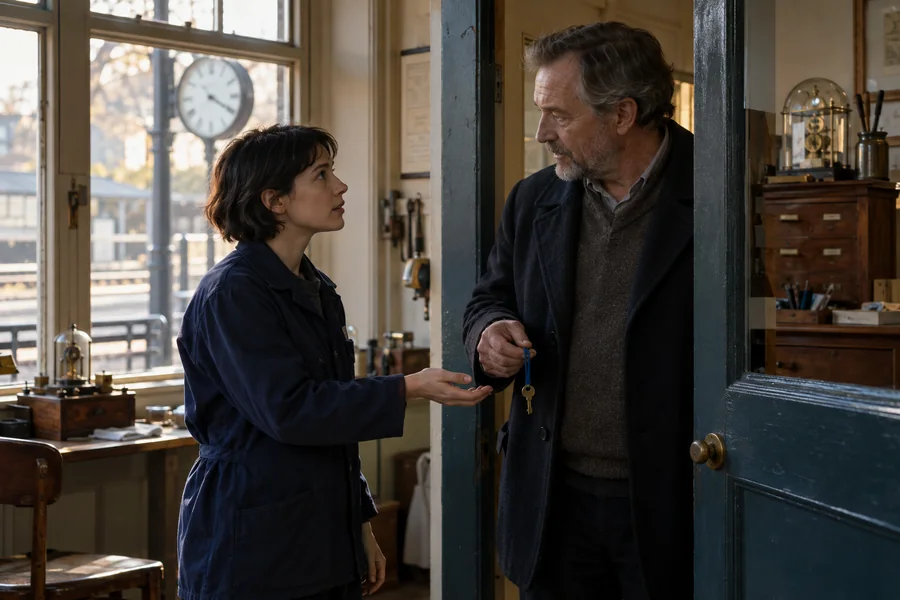
A place, a request and a boundary. Follow the response until somebody has to make a different choice.
Original illustrative photograph, created for BookDraftLab.Use the tool with a clear task.
Make a small plan that fits an ordinary week. Open a note below for an example or a closer explanation.
Before you begin
A writing sprint is a bounded period of attention, not a test of how fast you can produce prose. Before pressing start, name the task: draft a short exchange, map a chapter, read an awkward transition, or list questions for a source. Choose a duration that fits your situation. The timer is quiet, can be paused, and does not require you to reach a particular number of words.
Keep your working document or notebook nearby. This page does not contain a manuscript editor, record your keystrokes, or send writing anywhere. You can leave the timer open while working in another window, but device sleep and browser behavior can affect what you see while it is in the background. When you return, the display uses elapsed time rather than assuming each screen update arrived on time.
Prepare an entrance, not a performance.
Open the file and locate the next piece of work before starting. If you need to decide what to write, make that the sprint’s purpose. Ten minutes spent comparing two scene directions can be useful even when neither produces finished prose. Put unrelated questions into a short parking note instead of following each one immediately. The aim is to reduce avoidable switching while keeping room to stop if the task turns out to need a different approach.
Finish with a return note.
When the time ends, stop at a sensible point and write what changed. Record the next sentence to consider, the passage to inspect, or the fact to check. Take a break before choosing another sprint. You do not need to extend the session to prove it worked. If a timer makes you rush or ignore necessary rest, use the task without the clock. The tool is optional; attention and a clear next step matter more than a streak.
Choose a finish that helps the next beginning.
A sprint can end with unfinished language and a clear place to return. Record the next line to try, the decision still open, or the question that interrupted the task. If the sprint exposed a dependency, make that visible: “check whether the venue has evening access before writing the arrival scene.” Otherwise tomorrow’s session may begin by discovering the same obstacle again.
Keep the return note beside the manuscript rather than relying on this timer to retain it. You can use a short session for reading or planning as well as drafting. If you repeatedly spend the whole window finding the file or choosing a task, prepare the entrance separately before changing the duration.
Questions about this tool.
Will an alarm play?
No sound or notification permission is used. The page displays a completion message. Check the screen when appropriate, and use a separate device reminder if you need an audible cue.
Can I pause without losing the session?
Yes. Pause keeps the remaining time while the page stays open. Reset returns to the selected duration. Closing or reloading starts a fresh timer, so keep your work in your writing document.
Read the matching lesson.
Use a matching guide to examine the choices through a worked example, then return here to keep your own result.