
Fyrlo, your AI book writing app.


Explore AI-supported story work on iPhone, iPad and Android. Follow one invented project from a focused premise to a chapter you can review; keep the writing decisions yours.
- Devices
- iPhone, iPad and Android
- Work
- AI-supported story development
- App stores
- Current features and in-app purchases
A story in mind.
A place to explore it.
Fyrlo brings AI-supported story planning and drafting to iPhone, iPad and Android. Start with your direction, review the possibilities, and keep the decisions that fit.
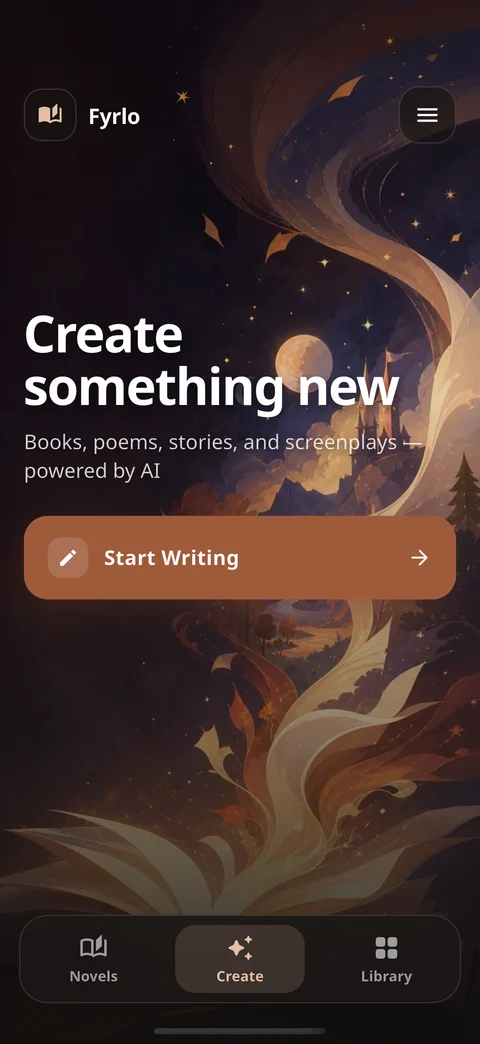
Give the project a direction.
Choose the kind of writing you want to make. A brief premise gives you something to compare with the material that follows.
ACTUAL FYRLO APP SCREEN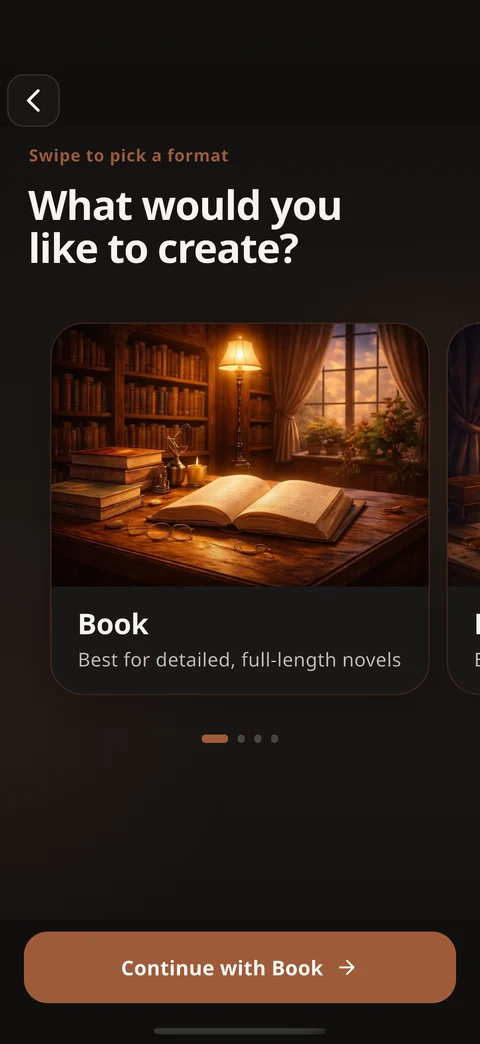
Make the shape fit the idea.
Fyrlo offers formats including books, short stories, poetry and screenplays. Choose the one that fits the work you want to explore.
ACTUAL FYRLO APP SCREEN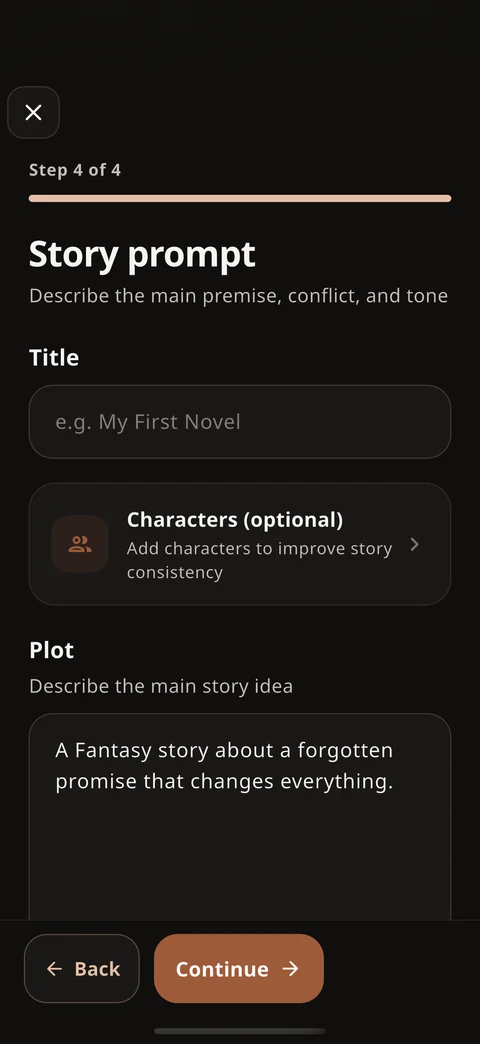
Keep the next request focused.
Describe the situation, tone and direction. Review generated suggestions against that context before continuing the project.
ACTUAL FYRLO APP SCREENChoose the form before expanding the idea.
Fyrlo supports AI-assisted work on longer fiction, short stories, scripts and poetry, along with plot, character and chapter development. Choose the form you intend to read. A small encounter does not need to become a novel simply because a longer format is available. The genuine screens and step-by-step example illustrate the iPhone and iPad version. Check the App Store or Google Play listing for the features, supported devices and purchases available on your platform.
Give a suggestion something to answer.
Name the immediate task, the character’s pressure and a boundary. “Continue the story” leaves many decisions implicit. A request to draft the encounter after a refusal gives you an event to evaluate: does the new action follow from what the character just did? The three-session example below carries one invented project from premise to a reading copy. Its success is a clearer writing decision, rather than simply a larger amount of generated text.
Keep your website notes and app work distinct.
The BookDraftLab browser tools do not send notes to Fyrlo. They organize your own material locally; the app is a separate service. Export any website notes you want to retain or transfer yourself. Before supplying private research or unpublished writing to online features, read the app’s current privacy information. Keep original work and inspect additions for factual accuracy, continuity and the intention of the book.
Session one: turn a premise into a plan you can inspect.
Try this invented premise: a ferry clerk must clear the lost-property cupboard before the island route closes. Inside a violin case, she finds a current ticket bearing the name of a passenger who vanished years earlier. Call the working project The Unclaimed Crossing. In Fyrlo, choose Book and set the genre, tone and intended length. Describe the clerk’s task, the unsettling discovery and the choice it creates. These details give the setup more direction than “a mysterious island story.”
Review the resulting chapter plan before generating prose. Fyrlo’s Book plan supports editing chapter titles, summaries, beats, viewpoint and location. Look for a sequence in which one discovery changes the next decision. If two chapters merely uncover different objects, give one a consequence: the clerk returns an item and loses access to a witness. Finish with an explainable plan and one chapter to test.
Session two: give character context a job in the scene.
Create a profile for the clerk, Mara. Her role is clear, but “curious and kind” will not explain a difficult choice. Add useful traits and relationships: she trusts the ferry mechanic, avoids promising help she cannot deliver, and needs the closing route’s final wages. Fyrlo supports character profiles and uses selected character context when generating new material. Choose the cast relevant to the passage instead of treating every profile as equally important to every scene.
Now test a chapter in which the mechanic asks Mara to destroy the ticket. Her financial stake should make refusal costly; their history should make agreement tempting. After reading, underline the action that reveals her choice. If the passage only describes her as conflicted, revise it so she does something observable. Update a profile when your understanding changes, then check whether earlier pages still support that version of the relationship.
Session three: continue, edit, then read a PDF.
Reopen the project from Fyrlo’s library and reread the preceding chapter. Before continuing, decide which unresolved consequence matters now. For Mara, the next beat might be obtaining a passenger ledger after refusing the mechanic’s request. Fyrlo can continue using the project’s plan, characters and existing story context; you can edit generated chapter text before carrying the story forward.
Read the continuation for three concrete things: what Mara already knows, who currently holds the ticket, and whether her next action follows from the refusal. Repair a contradiction while the affected section is still small. Then export a PDF reading copy and inspect the sequence away from the editor. Note the page or chapter and the moment you lost the thread. Return to the app with one revision task, such as establishing when the mechanic could have seen the ticket.
Before you get started.
Is Fyrlo available on Android?
Yes. Fyrlo is available on Android through Google Play and on iPhone and iPad through the App Store. Choose the store for your device; features and purchases may differ by platform.
Which project format should I choose first?
Choose Book for a longer story you want to develop through an editable chapter plan. Use Short Story, Poetry or Screenplay when that format matches the work. Start with the form you want to read, rather than expanding a small idea simply because a longer option exists.
Can I change a generated chapter myself?
Yes. Fyrlo lets you edit generated chapter text. Resolve an important change before continuing: if Mara gives away the ticket, the following chapter must not quietly place it back in her pocket. Review the plan and character context when the change affects them.
What should I do when a continuation goes in the wrong direction?
Identify the first point where it departs from your intention. Clarify the next beat, check the relevant context, and edit or regenerate the section. Keep the useful parts of the earlier attempt available for comparison instead of judging only the newest version.
How can I use PDF export during revision?
Export a reading copy to review the chapter sequence or share a defined excerpt with a reader. Ask a focused question, such as when Mara’s reason for keeping the ticket became clear. Bring those observations back to the editable project for the next pass.